기능 | Q. PADS Layout에서 copper의 fill 형태(mesh/solid) 설정 방법
페이지 정보
Posted By ED&C
PADS 제품에 대해서 자세히 알고 싶은가요? 사용 중에 궁금한 점이 있으신가요?
Support를 통해서 도움을 받으세요.
PADS 제품에 대한 문의와 사용상의 질문에 대한 답변을 드리고, 사용 동영상 강좌 등의 유용한 정보들을 제공해 드립니다.
A. 아래 세 가지 방법으로 Hatch Grid 및 Line Width를 변경하여 Copper/Copper Plane/Copper Pour/Plane Area의 fill 형태를 설정할 수 있습니다.
- Line Width ≥ Hatch Grid = Solid
- Line Width < Hatch Grid = Mesh
ex)

※ Copper의 경우 : 1번, 3번 방법 참고
※ Copper Plane/Copper Pour/Plane Area의 경우 : 1번, 2번 방법 참고
1. Default Hatch Grid 설정하는 방법 : Option에서 Hatch Grid 변경
① Tools > Options 실행
② Options 창에서 Grids 페이지 선택
③ Copper의 Hatch Grid 변경

2. 특정 Copper Plane/Copper Pour/Plane Area의 Hatch Grid/Line Width를 설정하는 방법
: 속성 창에서 Hatch Grid/Line Width를 변경
① Modeless Command PO를 이용하여 copper plane의 outline만 표시
※ PADS VX.2.3 이하 버전
- Modeless Command PO : copper pour의 outline만 표시
- Modeless Command SPO : plane area의 outline만 표시
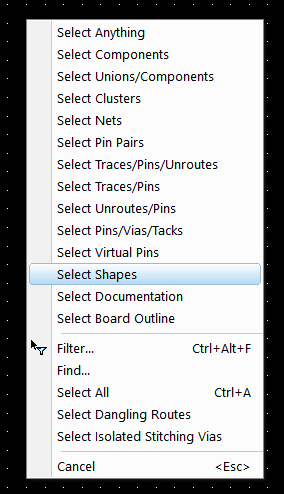
② PADS Layout 화면에서 우 클릭 → Select Shapes 선택
③ Copper Plane/Copper Pour/Plane Area 선택 → 우 클릭 → Properties 클릭
④ Drafting Properties 창에서 Line Width 변경 또는 Flood and Hatch Options 창에서 Hatch Grid 변경

3. 특정 Copper의 Line Width 변경하는 방법
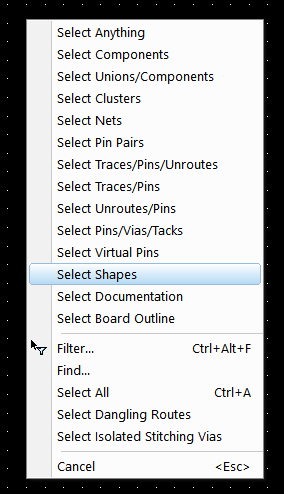
① PADS Layout 화면에서 우 클릭 → Select Shapes 선택
② Copper 선택 → 우 클릭 → Properties 클릭
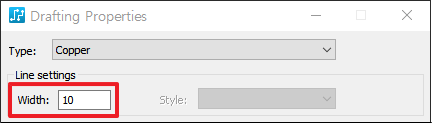
③ Drafting Properties 창에서 Line Width 변경